

Share Note plugin for Obsidian
Instantly share a note, with the full theme and content exactly like you see it in your Obsidian vault. Notes are encrypted by default, and only you and the person you send it to have the key.
How to use
To share a note, run Share current note from the command palette, or open the ⋮ menu in any note and choose Share note on the web.
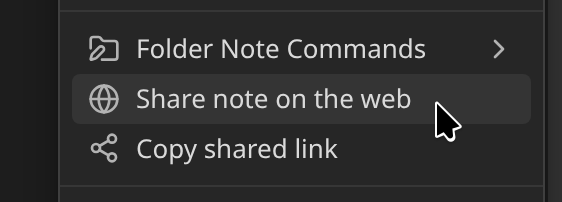
The first time, the plugin connects to the server and asks which kind of link you want. Sharing your first note walks through what to expect.
If you're having any issues, check the FAQ or 🔧 Troubleshooting.
Learn more
- Settings - every option explained
- Encryption - what it protects and how to turn it on or off per note
- Theme - change how your shared notes look
- Self-deleting notes - notes that expire
- Letting readers import your note - a Save note button for readers with Obsidian
- Managing your notes - update, copy and delete shares, and list everything you've shared
- Frontmatter properties - every
share_*property in one place